Pass4Future also provide interactive practice exam software for preparing Adobe Campaign Classic Business Practitioner - Certified Expert (AD0-E327) Exam effectively. You are welcome to explore sample free Adobe AD0-E327 Exam questions below and also try Adobe AD0-E327 Exam practice test software.
Do you know that you can access more real Adobe AD0-E327 exam questions via Premium Access? ()
During development or testing, what are two ways a business practitioner can avoid leaving a workflow in a paused state? (Choose two.)
Answer : B, E
To avoid leaving a workflow in a paused state during development or testing, adding a Stop activity ensures that the workflow is forcibly stopped after all the activities have been processed. Additionally, adding an End activity at the end of a workflow is a standard practice for defining a clear endpoint, after which the workflow will not proceed. Both these activities help prevent workflows from remaining in an unintended paused state. It's important to use these activities as they are designed to provide a clean termination of the workflow's execution. Reference: These recommendations are based on standard practices within workflow management in automation systems like Adobe Campaign Classic, where Stop and End activities are common features.
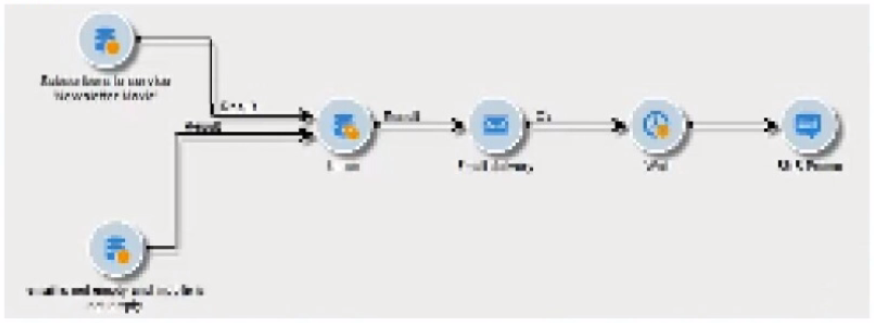
A business practitioner wants to create a cross delivery workflow in a campaign so that customers who are subscribed to a newsletter would receive a promo in an email, then in an SMS.

What should the business practitioner do to ensure that this workflow is cross delivery?
Answer : C
To create a cross-delivery workflow where an email is followed by an SMS, it's important that the workflow can pass the target recipients from the email delivery to the SMS delivery. Checking the 'Generate an outbound transition' option in the workflow execution settings of the email delivery creates an output population that can be used as the input for the subsequent SMS delivery activity. This ensures that the recipients who received the email are then considered for the SMS, maintaining the flow of communication across the different delivery channels. Reference: This process aligns with cross-channel campaign management, where the flow of the recipient data from one delivery channel to another is managed within a campaign workflow.
An Adobe Campaign business practitioner needs to access a specific set of data including quarantined addresses, untargeted recipients, a specific age range, etc. on a regular basis. Data can change but conditions will remain the same.
How should the practitioner approach this to minimize the coding effort every time a similar request is made?
Answer : A
To minimize the coding effort every time a similar request is made, the business practitioner shouldA. Create a Predefined Filter.
A Predefined Filter is a saved query that can be used to retrieve a specific set of data on a regular basis. The Predefined Filter can be created with the specific conditions that the business practitioner needs to access, such as quarantined addresses, untargeted recipients, a specific age range, etc. The Predefined Filter can be saved and reused every time a similar request is made, minimizing the coding effort.
When a business practitioner needs to access a specific set of data under consistent conditions, creating a Predefined Filter is the most efficient approach. Predefined Filters in Adobe Campaign allow users to save a set of criteria that can be reused across different campaigns and workflows. This saves time and effort as the practitioner does not have to recreate the conditions every time they need to access this data set. The filters can be applied to various campaign activities without additional coding, making it a convenient solution for recurring data access needs. Reference: This recommendation is based on the functionality of Predefined Filters in Adobe Campaign Classic, which allows for the reuse of common criteria in multiple campaign activities.
A business practitioner is asked to generate an audience of customers with their latest subscription status on an ongoing basis including new customers.
After querying the subscription table for the latest customer subscription status, what should a business practitioner do to keep the audience updated?
Answer : B
To maintain an updated audience with the latest subscription status, including new customers, the most effective approach would be to use a dynamic list that is updated daily. The term 'Purge and Reuse' implies that the list will be cleared and repopulated with current data on a regular basis. This approach ensures that the audience list always reflects the most recent subscription statuses, including those of any new customers who have subscribed since the last update. A list of type 'Group' would typically be used for static segmentations and wouldn't be as dynamic as a list of type 'List'. Reference: This answer is based on the standard practice of audience management in campaign systems where dynamic lists are used to reflect real-time or frequently updated data.
A business practitioner needs to analyze the target population of a delivery during content preparation to understand any errors at the time of message preparation. During the Analysis phase, the business practitioner notices errors in the delivery.
What is the risk of stopping the delivery at this stage?
Answer : B
During the analysis phase of a delivery, the system is conducting checks on the target population, content validity, and other parameters without actually sending any messages. At this stage, if errors are detected, the delivery process has not begun, and no messages have been dispatched. Therefore, there is no risk associated with stopping the delivery to address any identified errors. It's actually a prudent measure to prevent the dissemination of erroneous messages. Reference: The analysis phase and its role in preventing the sending of erroneous messages are common features in email campaign management systems like Adobe Campaign Classic.