GIAC - Big Savings Alert – Don’t Miss This Deal - Ends In 1d 00h 00m 00s Coupon code: 26Y30OFF
  1. Home
  2. GIAC
  3. GSEC Exam
  4. Free GSEC Questions

Free GIAC Security Essentials (GSEC) Practice Questions

These GIAC GSEC sample questions are a small glimpse of our full set of GIAC GSEC actual questions. They give you a preview of what the real GSEC exam might look like and the contents of Pass4Future's premium GIAC GSEC product. You must not underestimate the value of GIAC GSEC practice exam questions, as they allow you to understand the actual GIAC Security Essentials exam in greater depth. Using them will save your time and money otherwise wasted in GIAC Security Essentials exam reattempts. Study guides and tutorials provide you with theoretical details about the GSEC exam; these GSEC practice exam questions prepare you to pass the exam. Get Pass4Future's premium access to continue your GSEC exam practice with the complete set of GIAC GSEC realistic questions. Our GIAC GSEC practice questions come in various formats; make sure to check out the details and free demo of each format.

GIAC GSEC Sample Exam Questions

Page:    1 / 14   
Total 385 questions

Question 1

A company disables cd drives for users; what defense strategy is this a part of?


Answer : C


Question 2

What dots Office 365 use natively for authentication?


Answer : B, C


Question 3

An email system administrator deploys a configuration blocking all inbound and outbound executable files due to security concerns.

What Defense in Depth approach is being used?


Answer : C


Question 4

In the AGULP model, who should be assigned permissions and privileges?


Answer : B


Question 5

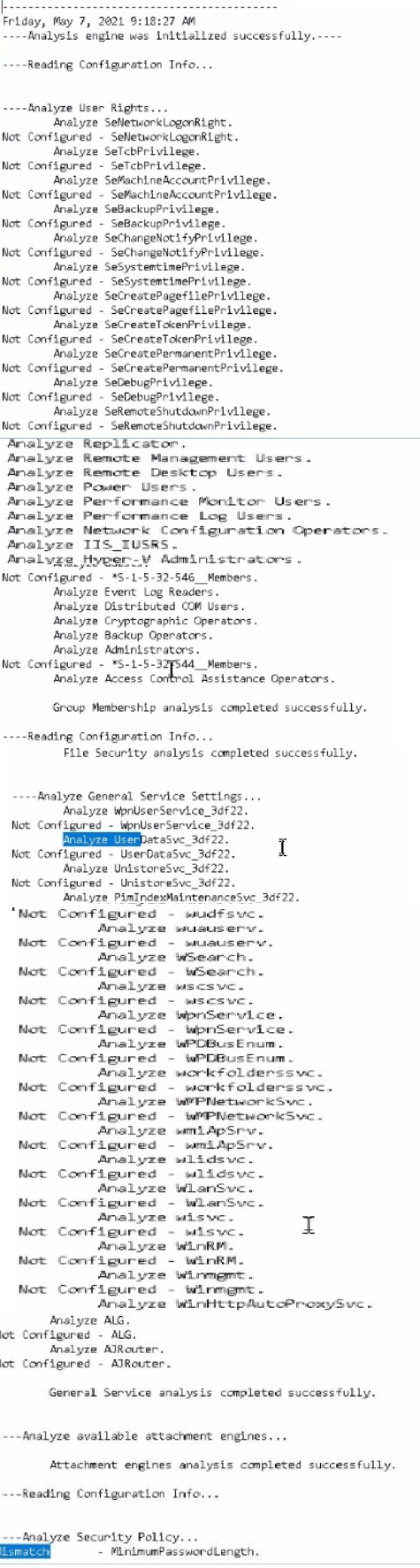
Using PowerShell ISE running as an Administrator, navigate to the

C:\hlindows\security\tevplatesdirectory. Use secedit.exe in analyze mode to compare the temp.sdb and uorkstdtionSecureTmplate.inf files, and output the findings to a file called log.txt. Which configuration setting under Analyze User Rights reports a mismatch?

Hints:

Use files located in the C \windows\security\templates\ directory

The log. txt file will be created in the directory the secedit.exe command is run from


Answer : J


Page:    1 / 14   
Total 385 questions