Linux Foundation - Big Savings Alert – Don’t Miss This Deal - Ends In 1d 00h 00m 00s Coupon code: 26Y30OFF
  1. Home
  2. Linux Foundation
  3. CKAD Exam
  4. Free CKAD Questions

Free Linux Foundation Certified Kubernetes Application Developer v1.30 (CKAD) Practice Questions

These Linux Foundation CKAD sample questions are a small glimpse of our full set of Linux Foundation CKAD actual questions. They give you a preview of what the real CKAD exam might look like and the contents of Pass4Future's premium Linux Foundation CKAD product. You must not underestimate the value of Linux Foundation CKAD practice exam questions, as they allow you to understand the actual Certified Kubernetes Application Developer exam in greater depth. Using them will save your time and money otherwise wasted in Certified Kubernetes Application Developer exam reattempts. Study guides and tutorials provide you with theoretical details about the CKAD exam; these CKAD practice exam questions prepare you to pass the exam. Get Pass4Future's premium access to continue your CKAD exam practice with the complete set of Linux Foundation CKAD realistic questions. Our Linux Foundation CKAD practice questions come in various formats; make sure to check out the details and free demo of each format.

Linux Foundation CKAD Sample Exam Questions

Page:    1 / 14   
Total 48 questions

Question 1

Refer to Exhibit.

Task:

Modify the existing Deployment named broker-deployment running in namespace quetzal so that its containers.

1) Run with user ID 30000 and

2) Privilege escalation is forbidden

The broker-deployment is manifest file can be found at:


Answer : A


Question 2

Refer to Exhibit.

Task:

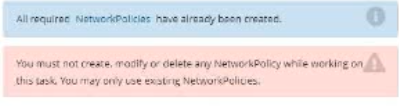
Update the Pod ckad00018-newpod in the ckad00018 namespace to use a NetworkPolicy allowing the Pod to send and receive traffic only to and from the pods web and db


Answer : A


Question 3

Refer to Exhibit.

Context

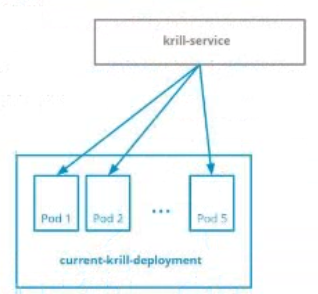
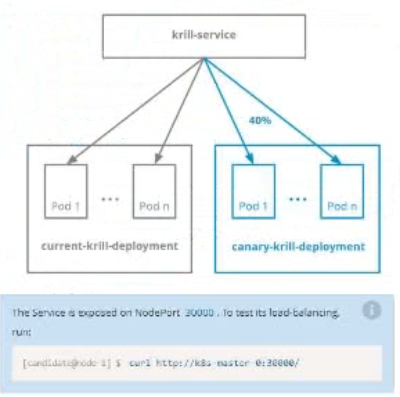
You are asked to prepare a Canary deployment for testing a new application release.

Task:

A Service named krill-Service in the goshark namespace points to 5 pod created by the Deployment named current-krill-deployment

1) Create an identical Deployment named canary-kill-deployment, in the same namespace.

2) Modify the Deployment so that:

-A maximum number of 10 pods run in the goshawk namespace.

-40% of the krill-service 's traffic goes to the canary-krill-deployment pod(s)


Answer : A


Question 4

Refer to Exhibit.

Task:

The pod for the Deployment named nosql in the craytisn namespace fails to start because its container runs out of resources.

Update the nosol Deployment so that the Pod:

1) Request 160M of memory for its Container

2) Limits the memory to half the maximum memory constraint set for the crayfah name space.


Answer : A


Question 5

Refer to Exhibit.

Task:

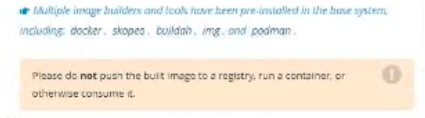
A Dockerfile has been prepared at -/human-stork/build/Dockerfile

1) Using the prepared Dockerfile, build a container image with the name macque and lag 3.0. You may install and use the tool of your choice.

2) Using the tool of your choice export the built container image in OC-format and store it at -/human stork/macque 3.0 tar


Answer : A


Page:    1 / 14   
Total 48 questions