Pass4Future also provide interactive practice exam software for preparing Nutanix Certified Professional - End User Computing v6.10 (NCP-EUC) Exam effectively. You are welcome to explore sample free Nutanix NCP-EUC Exam questions below and also try Nutanix NCP-EUC Exam practice test software.
Do you know that you can access more real Nutanix NCP-EUC exam questions via Premium Access? ()
During initial testing of a new VD' deployment, users are complaining that they are not seeing the performance increase that was seen during the POC phase of the project.
The POC deployment was tested on an NX line of nodes with AHV as the hypervisor. After the test, the customer has decided to move forward with a production deployment using Dell XC nodes with ESXi as the hypervisor.
Which two actions must be taken. based on the hypervisor and node model change? (Choose two.)
Answer : A, D
one of the possible causes of poor performance in a VDI deployment ispower management, which can affect CPU frequency and performance. Therefore, it is recommended to disable any power saving features on the BIOS level, such as C-states and P-states.
A new client has just deployed a new Frame account, During the testing phase, the security team found that they had bidirectional clipboard, capabilities, the ability to transfer files, and connectivity to unauthorized external storage devices.
What should the administrator do to secure the environment, based on the security team's feedback?
Answer : C
This answer seems to align with the security team's feedback and the objective of managing security features using Nutanix technologies.
Users are reporting that their desktops are running slower than expected in an ESXi-based Nutanix cluster. upon investigation, an administrator determines that desktops on one host are running slower and have higher CPU Ready times than on other hosts.
What is causing this issue?
Answer : B
A high CPU Ready time means that the vCPU is waiting too long for the pCPU, which can result in poor performance and slow responsiveness of the virtual machine (VM).
The recommended host power policy for Nutanix clusters isHigh Performance, which disables any power saving features and ensures that the pCPUs run at their maximum frequency and voltage.
This answer seems to explain why desktops on one host are running slower and have higher CPU Ready times than on other hosts, as they may be suffering from reduced pCPU performance due to a lower host power policy.
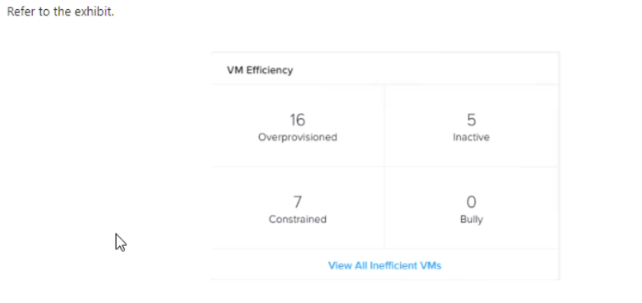
Refer the exhibit

An administrator is getting complaints from users regarding virtual desktop performance. The user base is a mixture of task workers, knowledge workers, and power users. The administrator suspects there are user Virtual desktops that are consuming resources and are starving the other virtual desktops from performing adequately.
How many virtual desktops are contributing to this issue?
Answer : C
The CPU usage percentage indicates how much of the allocated CPU resources the virtual desktop is consuming.
A high CPU usage percentage means that the virtual desktop is using a lot of CPU resources, which can affect the performance of other virtual desktops on the same host or cluster.
According to Nutanix best practices, the recommended CPU usage percentage for virtual desktops is less than 80%.
VM-0001 (99%)
VM-0002 (98%)
VM-0003 (97%)
VM-0004 (96%)
VM-0005 (95%)
VM-0010 (85%)
VM-0016 (81%)
These virtual desktops are likely contributing to the performance issue by consuming too much CPU resources and starving other virtual desktops from performing adequately.
A group of developers are migrating from physical computers to persistent virtual desktops.
What is the recommended migration path?
Answer : C
persistent virtual desktops are virtual desktops that retain their state and configuration across sessions.
This means that users can customize their virtual desktops with their own applications, settings, and data, and have them available every time they log on.
Persistent virtual desktops are suitable for users who need a consistent and personalized experience, such as developers.
This can be done by using a tool such as VMware Converter or Microsoft Disk2vhd to create a virtual disk image of the physical computer's hard drive.
Then, this image can be imported into Nutanix Cloud Platform and used as a base image for creating persistent virtual desktops.
This migration path can preserve the existing applications, settings, and data of the physical computers and minimize the disruption for the users.